
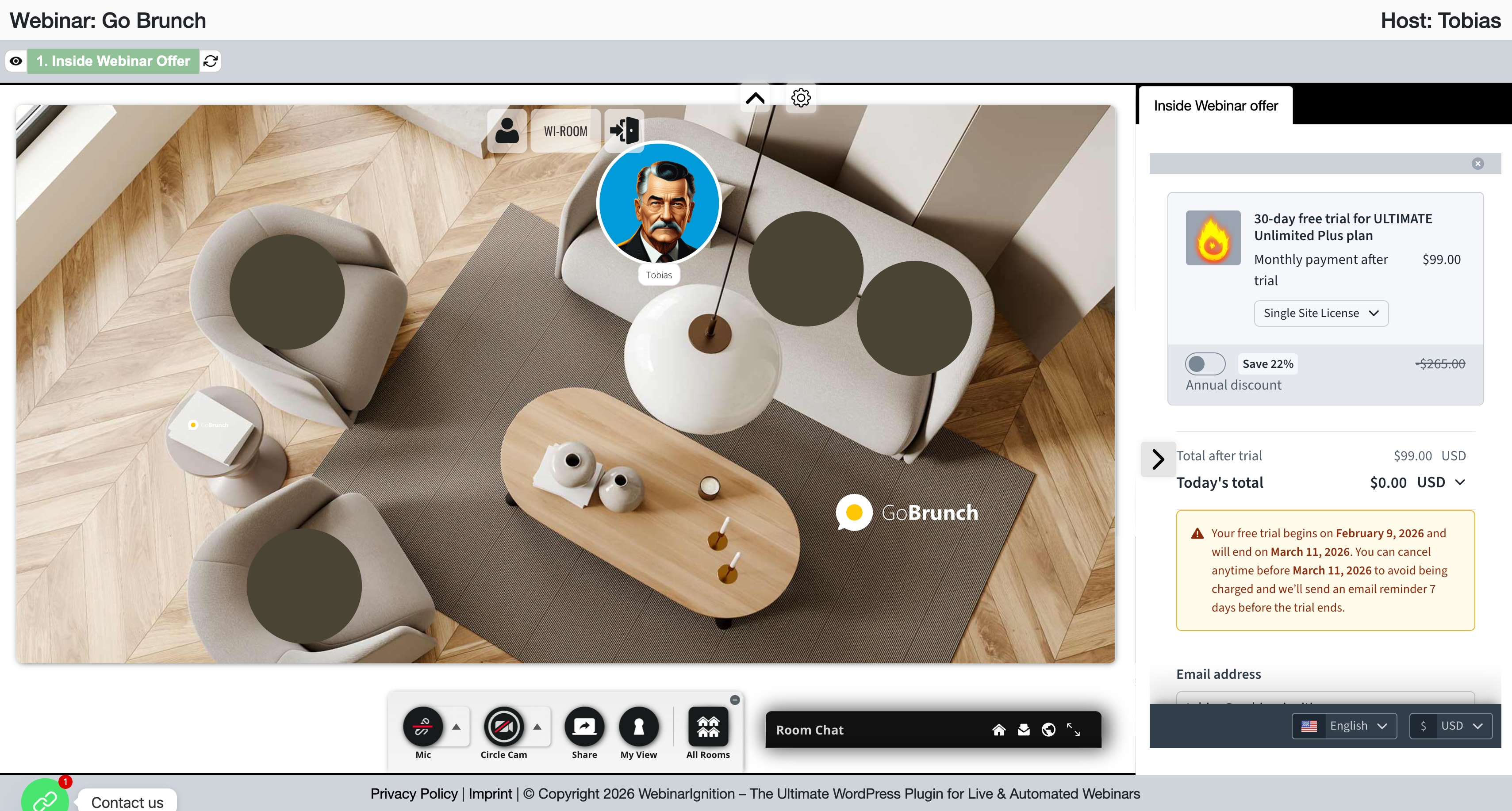
For nice registration, email notification and unlimited interactions add GoBrunch in WebinarIgnition(Working in the free version).
Requirements:
- Paid GoBrunch bought here: https://appsumo.com/products/gobrunch/
- Free “Advanced iFrame” plugin from wp.org
- In code below, replace URL inside, with yours and add inside WI.
<iframe src="https://gobrunch.webinarignition.com/" width="100%" height="100vh" style="border:0;" allow="camera; microphone; display-capture" allowfullscreen> </iframe>
- GoBrunch KB: How to add ad subdomain, iframed GoBrunch like used above
- Where to add GoBrunch code in WebinarIgnition?

Related posts:
 WebinarIgnition Quick Start Videos & Links
 Appointment Interacting with the audience – TidyCal CTA
 WebinarIgnition Tutorial: Create High-Converting Webinar Funnels That Generate $10K+ Monthly (Step-by-Step Guide)
 Interacting with the audience – Mentimeter CTA
 WordPress Webinar Integration: Connect WooCommerce with WebinarIgnition for Sales That Convert at 55%+
 WebinarIgnition Setup Guide: From Installation to Your First Live Webinar
 Appointment Interacting with the audience – Calendly CTA
Leave a Reply